
7 Best SEO Reporting Tools for Marketers
Google updates its search algorithm ever so often. Each update can shift search visibility and change how your pages appear in results.
To keep rankings steady, you need data that shows how people reach your site and how your pages perform.
Search engine optimization (SEO) reporting tools bring together traffic patterns, ranking changes, and site issues. This helps you adjust your strategy before performance falls.
This guide covers the best SEO reporting tools and explains how each one supports audits, keyword analysis, client reporting, and performance tracking.
What Are SEO Reporting Tools?
SEO reporting tools collect data from search engines and show how each page on your site performs.
They track keyword positions, backlinks, crawl errors, site speed issues, and traffic sources. You see which pages gain visibility and which ones lose it.
Search results change often, so you need current data to guide your SEO strategy.
These tools reveal issues such as broken links, missing metadata, duplicate content, or slow mobile pages. This helps you fix problems before rankings decline.
Marketing agencies and SEO professionals also use these platforms to create reports for multiple clients.
The reports highlight ranking trends, technical findings, and traffic changes so clients can follow the progress of their SEO efforts.
Key Features to Look for in the Best SEO Reporting Tools
When you compare SEO reporting tools, focus on features that help you track SEO performance with accurate SEO data.
-
SEO KPI tracking: Tracks organic traffic, ranking shifts, click-through rates (CTRs), and conversions. These SEO metrics help you measure SEO progress over time.
-
Rank tracking: Shows where your keywords appear in search results. You can review changes through keyword tracking and update pages when rankings drop.
-
Backlink monitoring: Identifies new links, lost links, and harmful links. This supports backlink gap analysis and helps you maintain a stable backlink profile.
-
Website audit: A site audit checks crawl errors, broken links, slow pages, mobile usability issues, and missing metadata. SEO audit tools help you handle technical SEO tasks quickly.
-
Keyword research: Keyword research tools show search volume, difficulty, and related terms. This helps you choose marketing keywords for on-page SEO updates.
-
Customizable reports: Custom reports and report templates help you share detailed reports with clients or internal teams.
-
Integrations with analytics platforms: Links to Google Analytics, Google Search Console, and other tools pull data from multiple sources. This keeps all your SEO insights in one place.
Now that you know the core features, you can move on to the tools that offer them.
Top 7 SEO Reporting Tools to Try in 2025
The tools below help you track rankings, review site issues, study keywords, and organize reports.
Each one serves a different type of user, so it’s important to understand what each platform offers before you choose the right option.
1. TapClicks
TapClicks is an all-in-one reporting platform that collects SEO and marketing data in one place. Raven is the SEO module inside the platform. It tracks keyword positions, competitor rankings, SERP features, and site performance.
You can use both TapClicks and Raven to build a complete workflow for SEO reports. You can gather data, review trends, and present results through organized dashboards.
How TapClicks and Raven Support Ranking Reports
Raven monitors keyword rankings across search engines, languages, devices, and regions. It also includes competitor comparisons, visibility metrics, and detailed technical checks.
TapClicks blends this information with data from multiple marketing channels. This shows how rankings connect to traffic and other activity without switching systems.
Teams with multi-location clients can keep SEO and performance data organized in one workspace. TapClicks stores historical values, so you can compare periods and identify long-term ranking patterns.
Key Features
-
Group target terms into keyword campaigns
-
View search volume, clicks, CTR, and historical ranking data
-
Compare competitors through head-to-head domain analysis
-
Monitor SERP features such as featured snippets and local packs
-
Run site audits to surface technical issues
-
Blend ranking data with Google Search Console and other third-party tools
-
Build branded dashboards in TapReports
-
Schedule automated SEO report delivery
-
Customize reports in Report Studio
SEO Audits and Technical Checks Through Raven
Raven runs scheduled audits that check crawl barriers, page speed issues, indexing problems, and other ranking factors.
You enter the site, choose the frequency, set the crawl depth, and exclude folders you want ignored.
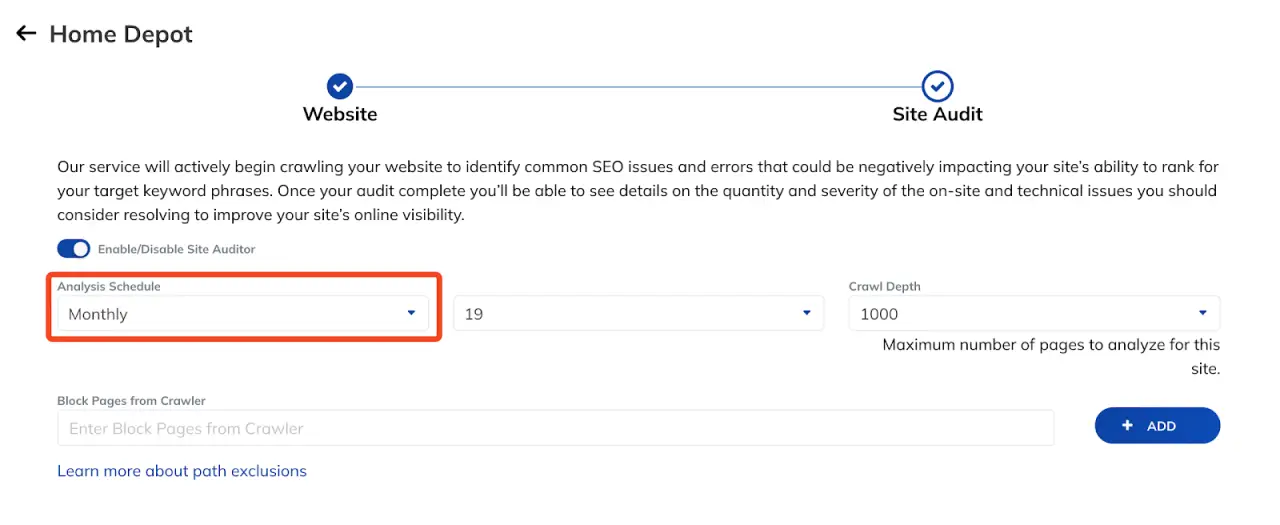
The audit report groups issues into three levels. You can see critical errors, warnings, and items that need attention.
Trend charts and an SEO Health Score show how your technical performance shifts over time.
Create and Share SEO Reports in TapReports
TapReports converts ranking and audit data into dashboards, PDFs, and slide decks. You can use templates or create layouts from scratch in Report Studio.
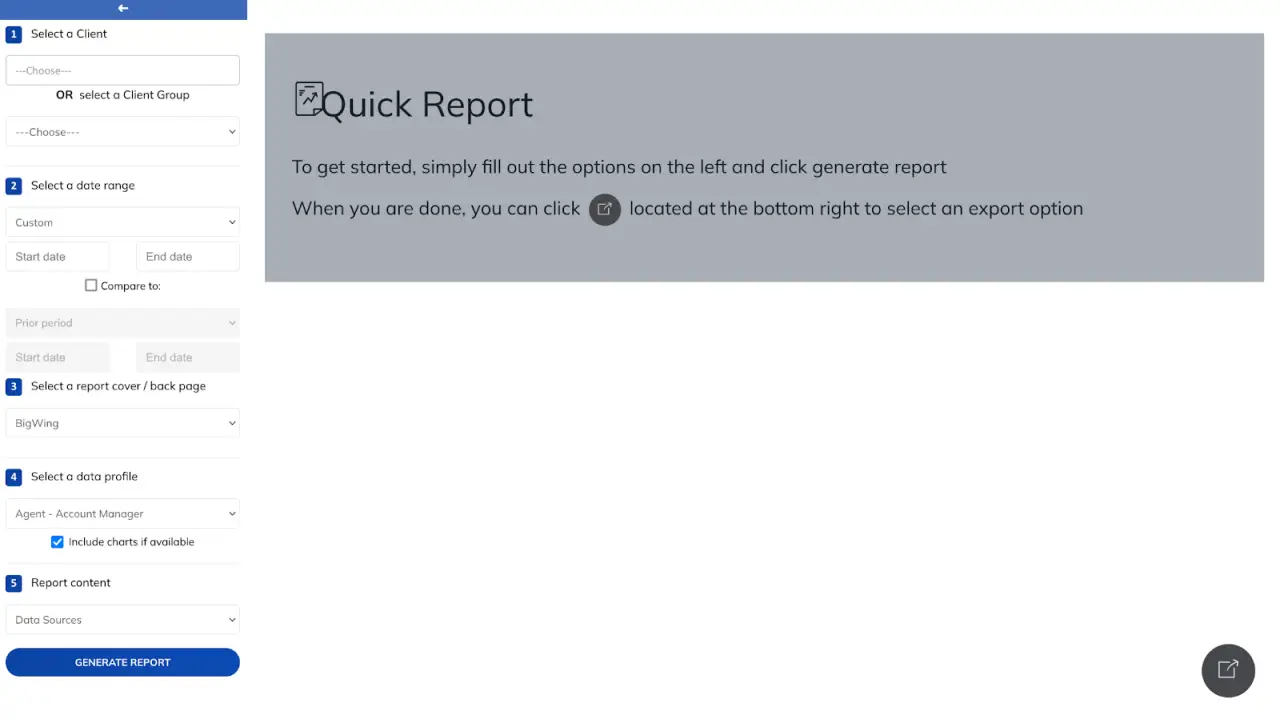
The editor works like a presentation builder that uses live data. You add widgets, visuals, text, and color settings to match your needs.
Quick Reports help you send simple summaries when you need a fast update. Every report stays consistent since TapClicks uses the same data foundation and layouts you set.
Automated SEO Reports and AI Summaries
TapClicks schedules recurring SEO reports on a daily, weekly, or monthly cycle. You choose the recipients, date range, and format.
The system then sends each report at the set interval. Agencies with many accounts can also bulk import schedules through a CSV.
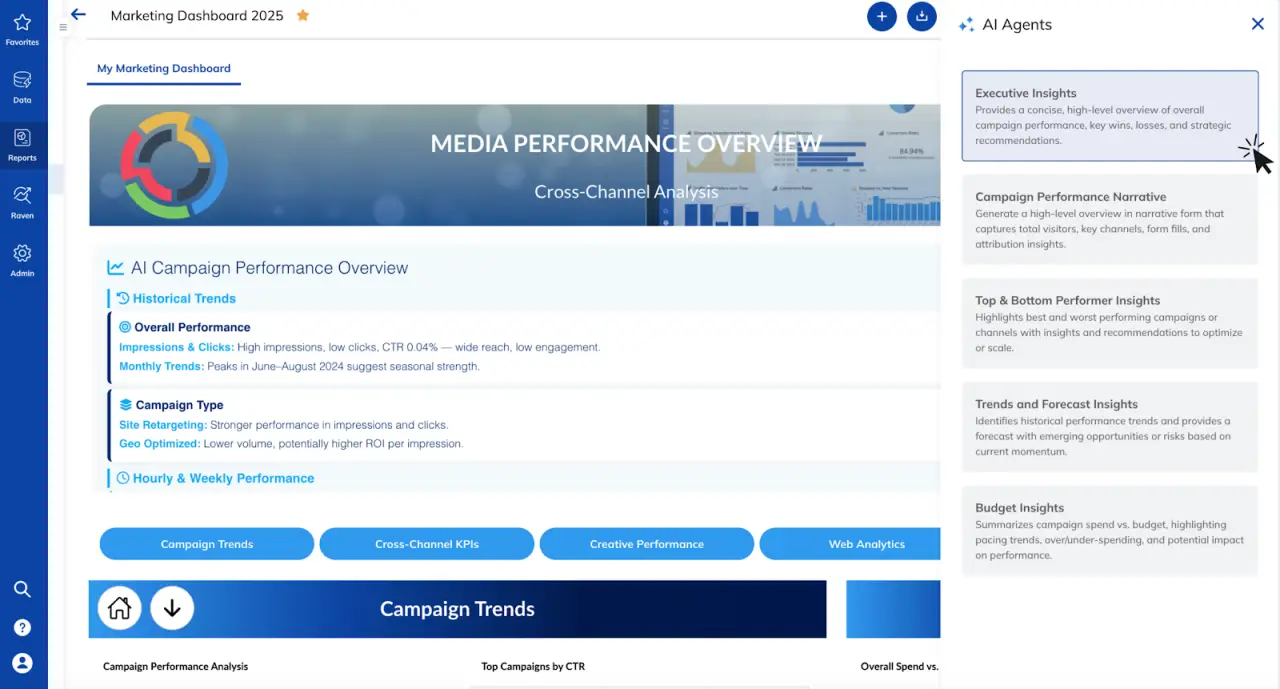
AI Insights Agents read your SEO widgets and create short summaries that explain ranking shifts, traffic changes, or competitor activity. You can edit these notes, save them, and place them in your reports.
Why TapClicks Works Well for SEO Reporting
Raven handles rank tracking and site audits. TapClicks organizes the data and stores historical records.
It then builds consistent reports that connect rankings with traffic, competitor signals, technical auditing results, and activity across multiple marketing channels.
Want to see how TapClicks manages SEO reports across many accounts? Book a demo today!
2. Seobility
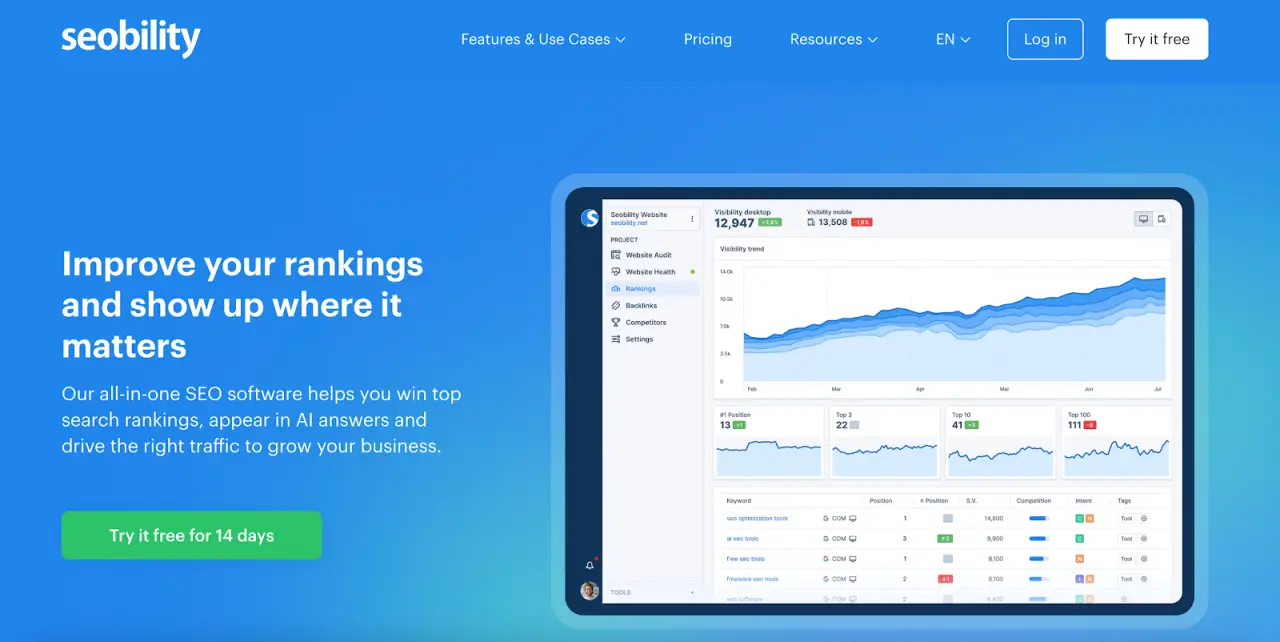
Image source: seobility.net
Seobility is an all-in-one SEO tool that helps users review technical issues, track rankings, and evaluate backlinks in one place.
It crawls every page on a site and highlights SEO elements that may limit visibility in search engines and AI-driven search tools.
You can check for duplicate content, broken links, slow pages, and other issues that affect on-page optimization.
Seobility also offers rank tracking, keyword research, and competitor insights through a user-friendly interface.
It supports SMBs, entrepreneurs, and agencies that want a single tool to monitor website performance across multiple platforms.
Key Features
-
Full website audit for technical and on-page optimization issues
-
Daily desktop and mobile ranking monitoring
-
Local rank tracking for location-specific keywords
-
Backlink monitoring with new and lost link alerts
-
Competitor backlink analysis
-
Keyword research with search volume and intent
-
White-label PDF reporting
-
CSV export options
-
Checks for duplicate content, broken links, slow pages, and metadata issues
-
Link quality scoring with link rating metrics
-
Support for monitoring optimization progress with up-to-date data
Pros
Seobility's daily ranking data makes it easy to see whether recent updates help or hurt visibility. The backlink monitoring tool highlights new links, lost links, and broken link targets so users can respond quickly.
Competitor insights help identify new link prospects and keyword gaps. Its interface supports users who want an SEO checker that doesn’t require training or premium tools to get started.
Cons
Users report false positives in spelling alerts, which can interrupt the review process. Navigating deeper audit items may require several clicks, especially when working through larger sites.
A few users mention unclear error messages during setup. Support is handled through email rather than live chat or phone, so response times may vary compared with other reporting tools.
3. Mangools
Image source: mangools.com
Mangools is SEO reporting software that helps users research keywords, track rankings, and review backlinks.
It's useful for bloggers, affiliate marketers, SMBs, and agencies that want an accessible option among other SEO tools.
The platform offers keyword trends, SERP previews, competitor insights, and location-based ranking data.
Users can view authority metrics, analyze search features that shape click patterns, and find terms competitors already rank for.
Mangools also works as an alternative for teams that don’t want to rely on Google Data Studio for basic reporting.
Key Features
-
Keyword research with trends and competitor rankings
-
SERP analysis with authority metrics and feature previews
-
Daily rank tracking for desktop and mobile
-
Local rank tracking for more than 65,000 locations
-
Backlink analysis with link strength scoring
-
Competitor backlink insights
-
Shareable ranking reports and email alerts
-
Authority checks using Moz and Majestic data
-
Content and competitor insights through SiteProfiler
-
Lists for saving link prospects
Pros
Mangools helps users find keyword opportunities and understand how competitors earn visibility. The keyword tool shows long-term trends and search volumes, which support content planning.
Rank tracking updates daily and includes thousands of locations, which helps teams compare performance across regions.
The interface is beginner-friendly, so users don’t need other SEO tools to access basic research and ranking data.
Cons
Mangools doesn’t offer tracking for Google Business Profile results, which limits local SEO coverage. Some niche markets lack extensive data, which affects research depth.
The platform also doesn’t include multi-location dashboards, which may create challenges for agencies managing several local accounts.
It also doesn’t track the local map pack, so users may still depend on other SEO tools for local reporting.
4. AgencyAnalytics
Image source: agencyanalytics.com
AgencyAnalytics helps agencies organize client data and create routine reports in one place. It tracks keyword positions across Google, Google Maps, and Bing.
Users can review backlink data through integrations with tools like Ahrefs, Moz, Majestic, and Semrush.
The platform also connects to Google Analytics so teams can monitor organic traffic, conversions, and goal completions without switching between several tools.
Agencies often use it to manage multiple accounts, share dashboards, and add context through comments or annotations when explaining results to clients.
Key Features
-
Backlink monitoring with new, lost, and high-value links
-
Domain authority and Trust Flow metrics
-
SEO dashboards with Google Analytics data
-
Automated reporting on a set schedule
-
White-label reporting with custom branding
-
Prebuilt SEO report templates
-
Drag-and-drop dashboard editor
-
Annotations for additional context
-
Comprehensive suite of marketing integrations
-
Goal progress tracking
-
Shareable client dashboards
-
Chart and graph visualizations
-
Mobile-friendly client access
Pros
The rank tracker updates daily and includes map results, which can help teams that manage location-based keywords.
Backlink metrics from external providers give users a reliable way to review link quality without manual checks.
Templates help account managers create reports faster, and white label options support agencies that present data under their own branding.
Annotations also help teams explain ranking shifts or traffic changes during client updates.
Cons
Some integrations don’t show every metric users expect, often due to limits in the source platform’s API.
Agencies that work with several Yelp profiles or older Meta metrics may see gaps in available data.
Tracking the same keyword across multiple countries can feel tedious because the tool handles each region separately.
The keyword tagging feature could be more intuitive, and some users request clearer guidance when uploading large keyword lists.
5. SE Ranking
Image source: seranking.com
SE Ranking helps agencies and in-house teams manage keyword research, competitive analysis, technical audits, and ranking data in one workspace.
It supports content planning, backlink reviews, and local SEO, including Google Business Profile insights.
Users can view traffic estimates, keyword difficulty scores, and domain metrics when evaluating competitors.
The platform also uses AI and natural language processing (NLP) features to provide summaries and recommendations that help teams adjust their SEO approach.
Reporting tools include customizable templates, scheduled delivery, and client access options for agencies that handle multiple accounts.
Key Features
-
Competitor research with domain metrics and traffic estimates
-
Backlink analysis with new, lost, and do-follow or no-follow data
-
Rank tracking for desktop, mobile, and local results
-
Local marketing data, including Google Business Profile stats
-
Website audit for technical issues
-
On-page SEO reports for structure and content
-
Automated reports in PDF, XLS, and HTML
-
Unlimited report templates
-
Guest link access for clients
-
Looker dashboard sharing
-
Lead generation widgets
-
Client seats with adjustable access
Pros
SE Ranking's keyword module provides search volume and difficulty data that support content planning.
Rank tracking includes local results, so teams can review how a business appears across different regions, including its Google Business Profile.
Agencies can also create automated reports and share data through guest links. This helps account managers keep clients informed without exporting files each time.
Cons
Users report that navigation can feel layered, especially when moving between projects. The AI content tools may feel generic for users who want more advanced suggestions.
Adding keywords isn’t always intuitive for new users. Ranking data can lag at times, and backlink coverage isn’t as detailed as on larger platforms.
Some users also want more reporting options for paid channels such as Google Ads and Meta Ads.
6. BrightLocal
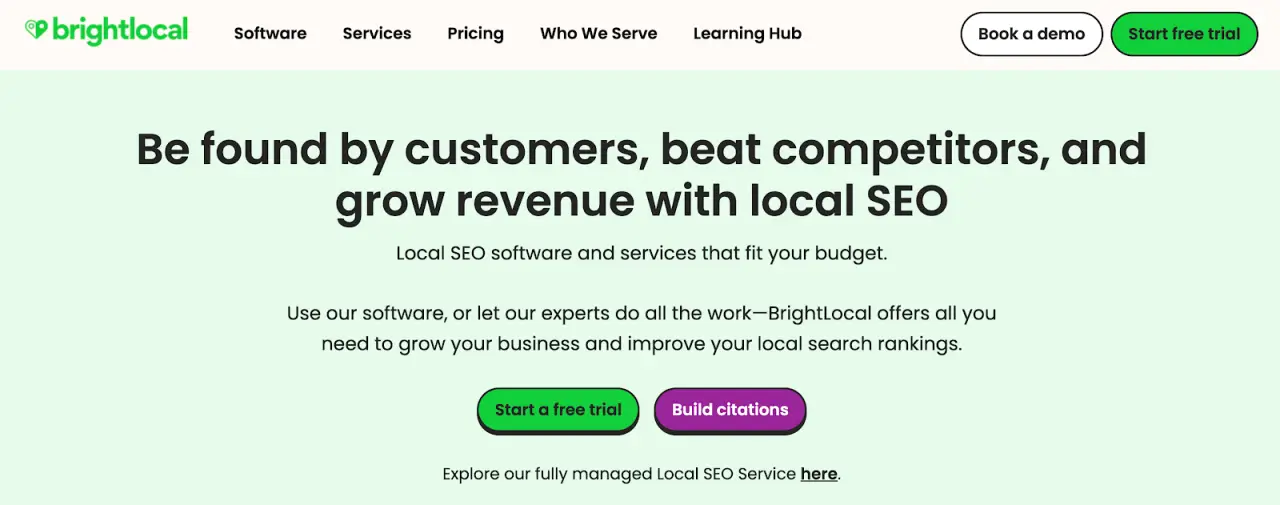
Image source: brightlocal.com
BrightLocal focuses on local SEO reporting and location-specific visibility. The platform tracks rankings in Google, Google Maps, Bing, and the Local Pack.
It also reviews on-site SEO factors, Google Business Profile data, citations, reviews, and local links. Users can see how a business appears across nearby areas and compare performance with local competitors.
The system includes citation analysis, review monitoring, and tools that help agencies manage several locations from one dashboard.
Key Features
-
Geolocation ranking views across small areas
-
Google Business Profile audits for duplicate listings and NAP issues
-
Local SEO audits with hundreds of data points
-
Citation tracker for accuracy checks and new citation sources
-
Citation builder service
-
Review monitoring across many review sites
-
Email, SMS, and in-store review generation tools
-
Competitor benchmarking for local ranking factors
-
Client dashboards for multi-location accounts
-
Google Posts scheduling
-
Data distribution to directories and mapping services
Pros
BrightLocal helps teams review local visibility from several angles. Users can check map rankings, Local Pack positions, and Google Business Profile trends without opening multiple tools.
Citation data helps identify accuracy issues and locate sites where competitors already appear. Review monitoring keeps agencies updated on feedback across many platforms.
Cons
Users find the search function inconsistent when locating specific client accounts. Multi-location reporting could be more consolidated for businesses with several branches.
Parts of the interface feel cluttered, especially the Locations Overview dashboard. The system also requires users to download ranking reports one keyword at a time, which slows work on larger projects.
7. Serpstat
Image source: serpstat.com
Serpstat is a search marketing platform that covers SEO, PPC, and content analysis in one system. It includes tools for keyword research, competitor insights, backlink checks, and rank tracking.
Users can review keyword difficulty, traffic estimates, and domain metrics to guide content and optimization decisions.
The platform also offers technical audits, clustering tools, and AI features that support content tasks. Agencies can create reports, use API access, and apply white label settings when working with several clients.
Key Features
-
Keyword research with volume, difficulty, CPC, and PPC competition
-
Backlink tracking with new, lost, and harmful link detection
-
Domain visibility and traffic metrics
-
Website audits with prioritized issues and recommendations
-
Batch analysis for large keyword or domain lists
-
PPC competitor analysis for ads, landing pages, and keyword groups
-
Keyword clustering with on-page suggestions
-
AI features for content and meta tags
-
Local SEO tools for listings and reviews
-
SERP crawling with region-based settings and API output
Pros
Serpstat helps teams review keyword trends, competitor movement, and backlink changes without switching between separate tools.
Users can track traffic estimates, domain metrics, and keyword difficulty to support planning and research.
The rank tracker covers several regions, so teams can check performance at the country, state, or city level.
Cons
Users want more control over report customization. Others mention that the interface feels dated, which slows navigation when switching between tools.
The learning curve can feel steep for beginners, since some features require more steps to set up or interpret. Country database limits may restrict users who work in smaller markets.
Connect Your SEO Metrics and Client Reports Through TapClicks
Most tools in this guide handle one SEO job at a time. One might track rankings, another audits sites, while others focus on backlinks or content.
That can leave your team hopping between platforms whenever you prepare a client report.
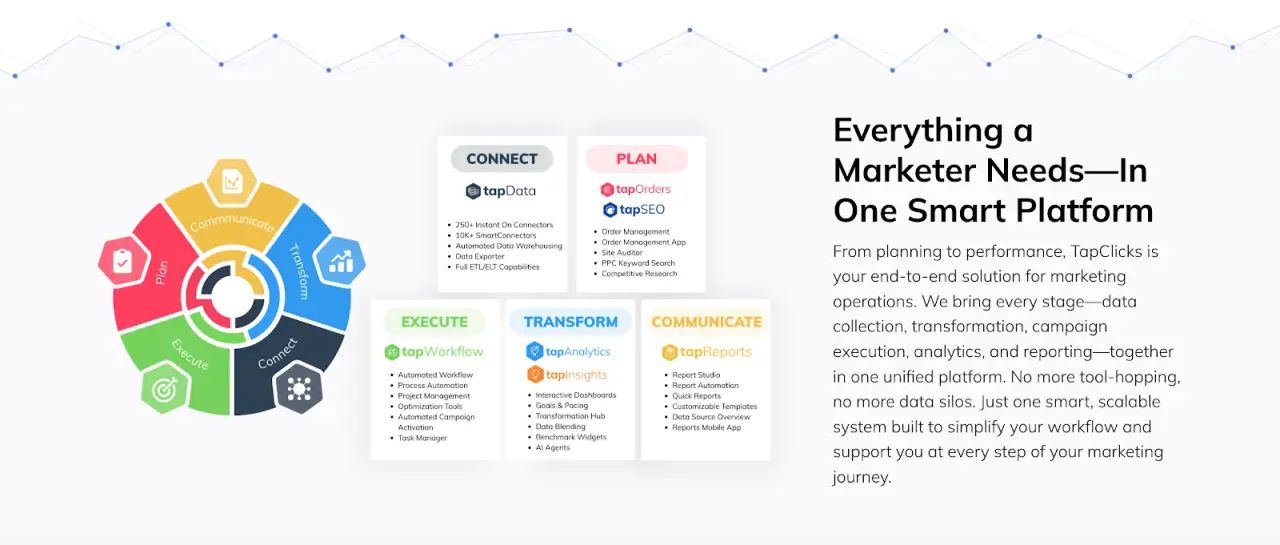
TapClicks pulls this work into one place. Raven covers rank tracking, audits, and keyword insights. TapData connects other SEO sources, such as Google Search Console or Advanced Web Ranking.
Together, they form a comprehensive suite that links search performance with campaign and CRM data.
Report Studio adds flexible reporting features. You connect your sources once, then build SEO dashboards, PDF decks, and slide presentations that reuse the same data.
Report Scheduler sends recurring SEO reports on the schedule you choose, even across hundreds of accounts.
glassCanopy felt this shift in their weekly process. Before TapClicks, their team spent three to four hours each week pulling numbers from CRMs and other tools.
After they moved reporting into TapClicks dashboards, the work dropped to about one-third of the original time. Clients could also log in and see current results on their own.
FAQs About the Best SEO Reporting Tools
What is an SEO report?
An SEO report shows how a website performs in search results. It highlights keyword positions, traffic trends, backlinks, and technical issues that affect visibility.
Many teams share these reports with sales so they can connect search performance with lead activity.
What is the best SEO reporting tool?
The best option depends on your workload. If you want one place to review SEO data, paid campaign metrics, budgets, and branded reports, TapClicks offers the most complete setup.
It also supports agencies that manage many accounts and need consistent reporting across clients.
What is the most effective tool for SEO?
An effective tool provides reliable keyword data, competitor insights, and checks that highlight issues that limit performance.
Many marketers use several platforms for research or audits, then move the final metrics into TapClicks. This gives them one system to review progress and share polished reports with clients or internal teams.









