Marketing Data
First-Party Data Strategy: A 7-Step Framework
You may already have more useful customer records than you think.
It shows up in purchases, email clicks, support questions, and saved preferences. The problem is that these signals often sit in separate tools.
A first-party data strategy helps you organize customer information and use it in marketing campaigns. In this guide, you’ll learn how to turn those signals into stronger customer engagement.
First-Party Data Strategy: Key Takeaways
- A first-party data strategy helps marketers turn owned customer records into better targeting, reporting, and retention.
- Useful inputs include purchases, CRM records, email clicks, support requests, surveys, and loyalty preferences.
- Start with one business outcome before adding fields, tools, or new collection points.
- Consent, ownership, quality checks, and KPIs keep the strategy measurable.
- TapClicks centralizes performance inputs, automates reports, and turns insights into client-ready presentations.
What Is a First-Party Data Strategy?
A first-party data strategy is a plan for collecting, storing, checking, and using customer data from owned channels.
These inputs can come from a website, email platform, ecommerce system, loyalty program, and sales or support team.
The plan explains what to collect, where to store it, how to fix errors, and who can use each record.
It also shows how marketers can use that data for email campaigns, ad targeting, audience segments, reports, and follow-ups.
When the information is accurate, teams can improve marketing performance based on actual customer behavior.
First-Party Data vs. Zero-Party, Second-Party, and Third-Party Data
Brands use several data types. Each type differs by source, permission, and control.
| Data Type | What It Means | Example |
|---|---|---|
| First-party | Information a business collects after buyers, leads, subscribers, or visitors interact with it. | A retailer records purchase history, customer relationship management (CRM) records, and email clicks. |
| Zero-party | Details buyers or subscribers choose to share through quizzes, surveys, or preference centers. | A shopper selects customer preferences for product style, size, or message frequency. |
| Second-party | Another company’s first-party records shared through trusted partners. | A hotel brand shares loyalty information with an airline partner. |
| Third-party | Audience details bought from outside sellers with no direct buyer relationship. | A snack brand buys an audience list of health-conscious shoppers. |
Marketing teams collect first-party data from actions connected to known visitors, leads, buyers, or accounts. These records can show real activity, such as purchases, clicks, CRM updates, and service history.
Second-party data can help a business reach audiences with related interests. However, marketers still need to review accuracy, permission records, and explicit consent.
Third-party data can expand advertising reach, but it carries more risk. Buyers may not know the source, collection date, or privacy status.
Third-party cookies also keep losing browser support, which makes direct customer information more relevant.
The Most Common Sources of First-Party Data
First-party data examples answer practical questions: what did the customer view, ask, buy, click, or choose?
Website and App Activity
Website visitors leave clues through:
- Page views
- Product views
- Searches
- Form fills
- Repeat visits
A visitor who checks pricing after reading product details may be comparing cost with features.
Internal search terms can also reveal missing information. If visitors keep searching for “shipping,” “pricing,” or “demo,” those topics may need clearer placement on the site.
CRM and Sales Records
CRM records connect a lead or customer to a source, such as an ad, referral, event, organic search visit, or sales call. Sales notes add context by capturing what the customer asked, what slowed the deal, and what follow-up they expected.
This helps separate serious buyers from early researchers. It also helps sales and marketing avoid sending the same message to every lead.
Purchase History
Purchase history shows what shoppers bought, when they bought it, and how often they return. Those details can identify repeat purchasers, one-time shoppers, seasonal customers, and active subscribers.
Past orders can also guide product recommendations. Someone who buys the same category often may respond to a refill reminder, bundle offer, or related product suggestion.
Email, SMS, and Campaign Records
Email and SMS records show how subscribers respond to specific messages. Opens can reflect interest in the subject, while clicks identify the offer, product, or topic that earned action.
Replies give more detail than a click. Unsubscribes can point to poor timing, weak content, irrelevant offers, or too many messages.
Customer Feedback
Customer feedback captures what buyers or account holders say after a purchase, review, survey, or support request. Reviews may mention product quality, delivery delays, pricing concerns, confusing instructions, or service issues.
Net Promoter Score (NPS) responses provide a clear satisfaction signal. Support tickets can also reveal repeated problems that affect repeat purchases, renewals, or referrals.
Loyalty and Preference Data
Loyalty programs reveal which rewards bring customers back. Frequent free-shipping redemptions, for example, can signal that convenience drives repeat purchases.
User preferences show what buyers want to receive. Chosen topics, product interests, favorite categories, and message frequency help marketers send more relevant offers.
Together, these records turn behavioral data into valuable insights for segmentation, follow-up timing, reporting, and campaign planning.
How to Develop a First-Party Data Strategy in 7 Easy Steps
A first-party data strategy needs a clear sequence. Here are the seven steps you can follow.
1. Define the Business Outcome
Choose one result to improve first. The company may want to keep more customers, increase conversion rates, or raise average order value.
Use that goal to decide which data belongs in the plan. Purchase frequency can reveal whether buyers return less often. Service history can show whether unresolved issues affect renewals.
Lead quality depends on different details. CRM stages and sales notes can indicate whether inquiries become serious opportunities. This step keeps unused fields out of the process.
2. Audit the Data You Already Collect
List every system that supports the chosen outcome. Record who owns it, how often it updates, and whether it includes consent status.
Next, check whether the records are usable. Duplicate profiles can split one contact into several entries. Missing values can leave reports incomplete.
The audit should answer a simple question: what can the business use now, and what needs fixing first?
3. Give Customers a Clear Reason to Share Their Data
Buyers and subscribers share details when the benefit makes sense. That value exchange might be a saved preference, faster service, a helpful reminder, or an offer based on a stated interest.
Customer trust affects that choice. According to InMoment, 84% of consumers would spend more with brands they trust to handle their data properly.
Ask for details only when they improve the customer experience. First-party data collection works best when buyers understand why a form, preference center, or account field exists.
4. Set Consent, Privacy, and Governance Rules
Direct collection still needs rules. A company should define how it will obtain explicit consent, honor opt-outs, limit access, manage data sharing, and delete old records.
Governance also needs clear ownership. Assign who approves new fields, who checks privacy requirements, and who reviews vendor access.
Legal or privacy staff should review the rules when the business handles regulated records or serves customers in regions with strict privacy laws.
5. Organize and Standardize the Data
Raw files often use different labels for the same field. One system may say “email,” another may say “email address,” and a third one may use a short code.
Standardize names, dates, product categories, and campaign labels. Remove duplicate profiles and fix missing values before the data reaches reports or audience lists.
Write down the definitions. If “active customer” means a purchase in the last 30 days, every report should use that same rule.
6. Connect Priority Systems
Connect only the systems needed for the outcome from Step 1. If the goal is retention, purchase data can show who stopped buying, while support history can show unresolved problems.
If the goal is lead quality, the CRM stage can show where leads stall. Sales notes can explain whether buyers asked about pricing, timing, or product needs.
Start with the records that answer the main business question. This keeps the project easier to manage, reduces cleanup work, and helps the team test results sooner.
7. Build Audience Segments and Insights
Use the cleaned data to group customers by value, intent, or risk. An at-risk account may need a service check-in before renewal.
High-value shoppers may need renewal reminders, account reviews, or offers based on past purchases. Each segment should point to the next action.
Predictive analytics can come later. It works best after the company fixes field names, removes duplicates, and documents key definitions.
Activating First-Party Data in Marketing Channels
Activating first-party data means using known behavior to choose the next message, offer, page, or follow-up.
Email and SMS Marketing
Email and SMS should match where a subscriber is in the customer journey. New subscribers can receive a short welcome series, while past buyers can get a reminder related to their last order.
Clear messages feel specific without feeling invasive. Product interests, saved settings, and recent clicks can help choose the next email or text.
Paid Media and Retargeting
Paid media can use first-party lists for targeted advertising. Remove existing customers from acquisition ads, so the budget goes toward prospects who have not bought yet.
Retargeting should match user behavior. Cart abandoners often respond to a product reminder. Service-page visitors may need proof, pricing details, or a demo prompt.
Website and Landing Page Personalization
Returning visitors can see content based on their last visit. The site can feature recently viewed products, related case studies, or a clearer call to action.
Landing pages can also match the interest shown on digital properties. First-party data helps create personalized experiences by changing copy, offers, or recommendations based on browsing activity.
Sales and Customer Success Follow-Up
Sales can use customer insights to prioritize leads. Leads who visit key pages and request a demo should move ahead of those with light browsing activity.
Account teams can use service interactions to plan outreach. Repeated tickets, low usage, or an upcoming renewal can help identify at-risk customers before the next renewal conversation.
Reporting and Budget Optimization
Performance reports should show which audiences, offers, and channels produce results. That gives budget decisions more context than clicks alone.
Audience insights can also show which groups deserve more budget. Groups that convert often or bring higher customer lifetime value may deserve more investment.
First-Party Data KPIs Worth Tracking
First-party data key performance indicators (KPIs) show whether the strategy improves records, reporting, and revenue. Track a focused mix of metrics:
| KPI Category | What to Track |
|---|---|
| Collection | Opt-in and form completion rates indicate whether visitors share details during direct interactions. Loyalty enrollment also shows whether the offer gives buyers enough reason to join. |
| Data quality | The duplicate record rate and missing field rate indicate whether profiles are complete. Match rate helps confirm whether a customer data platform or ad network can recognize records. |
| Activation | Active first-party segments show whether the company can use owned records in campaigns. The suppression list impact shows whether recent customers are excluded from acquisition ads. |
| Business results | Conversion rate, retention, customer lifetime value (CLV), customer acquisition cost (CAC), return on ad spend (ROAS), and campaign return on investment (ROI) show revenue impact. |
| Operations | Manual reporting time, dashboard usage, and launch speed show where reporting or setup slows down. |
First-Party Data Mistakes That Weaken Campaign Performance
- Collecting data “just in case.” A first-party data strategy can fall apart when the company asks for information with no clear use. Choose a use case first, then ask only for what supports it.
- Long forms. Long forms can stop visitors from finishing. Use progressive profiling instead. Ask for basic details first, then request more as buyers or subscribers engage again.
- Letting consent fade after signup. Practical privacy practices give subscribers a simple place to update topics, channels, and message frequency.
- Disconnected systems. Transaction data, customer service interactions, and campaign history lose value when they stay in separate reports. Centralizing marketing data closes those blind spots.
- Overpersonalization. Overpersonalized marketing communications can backfire. A message should match the situation without making the buyer wonder how much the brand knows.
- No clear ownership. Accurate records still need ownership. Assign who approves new fields, checks privacy rules, reviews access, and removes outdated information.
Turn First-Party Data Into Client-Ready Insights With TapClicks
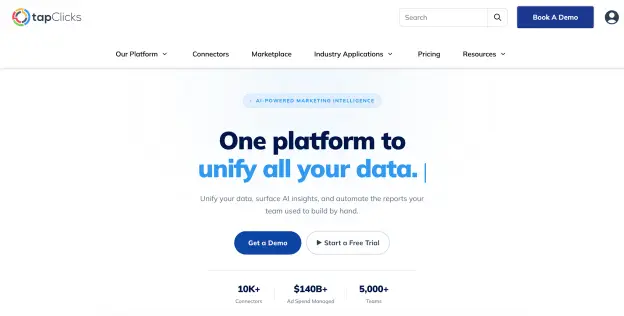
First-party data has more value when teams can trust it, combine it, and explain it clearly. TapClicks helps agencies and marketing teams consolidate performance data into a single governed layer via TapData.
TapData includes 250+ native connectors, with SmartConnector for sources outside the native library. Agencies can connect platforms like Google Ads, Meta Ads, LinkedIn, Google Analytics 4, HubSpot, Salesforce, and CallRail.
Automated syncs, configurable refresh schedules, historical backfill, and enterprise hierarchy support help keep reporting organized for multiple clients, brands, or locations.
For digital marketing analytics, TapClicks makes first-party records easier to analyze. The Data Transformation Agent turns plain-English prompts into formulas for reports and client-facing metrics.
AI Insights Agents scan dashboards and reports for trends, takeaways, and recommendations. Ask Your Dashboard answers plain-language questions from the on-screen dashboard, which helps during client calls.
FAQs About First-Party Data Strategy
Tap any question to expand the answer.
What are examples of first-party data?
First-party data includes information from direct customer interactions with a brand. Examples include purchase history, website activity, email clicks, CRM records, support requests, survey responses, and loyalty preferences.
Why is first-party data important for marketing?
First-party data helps brands understand what buyers, leads, and subscribers actually do. That makes marketing efforts more relevant and easier to measure. It can also improve customer satisfaction by helping teams send messages, offers, and follow-ups based on actual behavior.
Is first-party data better than third-party data?
Third-party data often gives marketers less visibility into the source, accuracy, and consent. Unlike first-party data, it usually comes from sellers without a direct buyer relationship. Owned-channel records give marketers more control, but the better choice depends on the marketing goal.
Make Your First-Party Data Easier to Trust and Share
TapClicks helps you maximize first-party data by turning marketing performance into client-ready reports. Book a demo to make those reports easier to trust, explain, and share.