
Digital Marketing Reporting: Complete Guide With Examples
Marketing reports often list metrics without explaining what they mean. Stakeholders see charts, but not the story behind performance or the next step to take.
Digital marketing reporting fills that role. It connects campaign data to revenue, highlights trends, and identifies issues early so teams can adjust spend before performance declines.
This guide covers how to approach digital marketing reporting with the right metrics, reporting frequency, and tools so each report answers key business questions.
TL;DR
-
Digital marketing reporting collects campaign data and shows how channels drive traffic, conversions, and revenue.
-
A marketing report explains performance changes and identifies specific actions like budget shifts or campaign updates.
-
Core metrics include revenue, conversions, CAC, and performance by channel.
-
Daily reporting helps catch cost spikes, conversion drops, and performance changes while campaigns are still active.
-
TapClicks pulls data from multiple platforms, generates reports automatically, and highlights performance changes in real time.
What Is Digital Marketing Reporting?
Digital marketing reporting collects data from tools like Google Analytics, ad platforms, and social media channels, then organizes it to show campaign performance.
It brings key metrics like website traffic, conversions, and customer acquisition cost (CAC) into a single view. Teams can review results in one place rather than switching between tools.
An effective marketing report answers three questions:
-
What happened - Show results using key metrics like conversions, revenue, and click-through rate (CTR).
-
Why it happened - Explain the reason behind the numbers. A drop in conversions may point to a landing page issue. Higher costs may reflect more competition in ad auctions.
-
What to do next - List clear next steps. This may include pausing low-performing campaigns, reallocating budget, or updating ad creatives.
Without these elements, reports show data but don’t guide decisions.
Why Digital Marketing Reporting Matters
Marketing reporting connects spend to results. It shows how each campaign contributes to revenue, leads, or customer acquisition.
It also guides budget allocation. Channels that drive results at a lower cost receive more investment, while weaker channels get reduced ad spend.
Over time, reporting reveals patterns in campaign performance. These patterns help teams adjust targeting, messaging, and channel mix based on actual results.
What Should a Digital Marketing Report Include?
Once reporting goals are clear, the next step is structuring the report itself.
Each section in a digital marketing report should help you evaluate campaign effectiveness and decide where to invest next.
Core Indicators for Digital Marketing Reporting
Start with key performance indicators (KPIs) tied to outcomes. Revenue, conversions, CAC, return on ad spend (ROAS), and return on investment (ROI) show whether marketing investments pay off.
Add supporting marketing metrics to explain performance. CTR, cost per click (CPC), cost per acquisition (CPA), and conversion rate show how users move from click to conversion.
Lead-based models should include marketing-qualified leads and sales-qualified leads to track pipeline quality. Track customer lifetime value (CLV) to understand how much revenue each customer generates over time.
Channel-Specific Reporting Metrics
Each channel serves a different role, so the metrics should match that role.
-
Pay-per-click (PPC) marketing report - Track ad spend, conversions, ROAS, CPC, and CTR to evaluate paid traffic.
-
Search engine optimization (SEO) - Analyze keyword rankings, organic traffic, clicks, and conversions to assess search visibility.
-
Email marketing report - Review open rate, click rate, conversions, and unsubscribe rate to evaluate engagement.
-
Social media marketing - Monitor engagement, clicks, and conversions to understand content performance.
These campaign performance metrics show how each channel contributes to results. Interpreting those numbers requires context.
Context and Benchmarks
Numbers without context don’t explain much. A conversion rate means more when compared to a previous period, a target, or an industry benchmark.
Include comparisons, such as weekly or monthly marketing reports. Add targets so readers can see whether performance meets expectations.
Benchmarks help evaluate campaign effectiveness. They show whether results are competitive or falling behind expected ranges.
Actionable Insights
Reports should explain patterns in the data by highlighting trends such as steady increases or declines and calling out anomalies, like a cost spike or a drop in conversions.
Then connect those changes to likely causes, such as audience fatigue or bidding changes. This turns raw data into conclusions that can be used immediately.
How to Build an Effective Digital Marketing Reporting Process
After finalizing what goes into a report, the next step is building a repeatable process. An effective reporting process keeps reports consistent and comparable, even as campaigns change.
Step #1: Define Your Audience and Reporting Goals
Start with the reader and the decision they need to make. A campaign manager may look at ad-level performance. Marketing leadership reviews revenue, cost, and overall return.
List the specific questions the report should answer. For example, a weekly report may focus on spend pacing and lead volume, while a monthly report may review revenue contribution and budget allocation.
Step #2: Choose KPIs Based on Decisions, Not Volume
Pick key marketing metrics that match those decisions. If the report will guide budget allocation, include CAC, ROAS, and conversions.
If the report reviews lead quality, include marketing-qualified leads and close rates.
Adding more metrics doesn’t improve the report. It makes it harder to see which campaigns need attention.
Step #3: Compile Data From All Platforms Into One Source
Marketing data comes from multiple systems. Google Analytics tracks website traffic, ad platforms track spend and clicks, and customer relationship management (CRM) systems track leads and revenue.
Pulling data from each source often creates inconsistencies. Conversion totals in Google Ads may not match CRM records due to attribution differences. Consolidating data into one reporting system removes these conflicts.
Step #4: Standardize Data and Visualize Campaign Performance
Check naming conventions before reviewing results. Campaign names, channels, and conversion events should follow the same format in every system.
If naming isn’t the same, the same campaign can appear more than once in a report. Consistent labels keep totals accurate.
Then choose visuals that match the data. Line charts show trends over time. Funnel views highlight where users drop off. Channel comparisons show which campaigns contribute the most.
Step #5: Analyze Performance and Recommend Next Steps
Review how performance shifts over time. Steady increases in conversions often indicate stronger targeting or improved creativity. Sudden cost increases can come from more competition or recent budget adjustments.
Look at recent campaign updates during analysis. New creatives, audience changes, or bid adjustments often explain changes in results.
Complete the report with specific next steps based on the data. Increase spending on campaigns that maintain target CAC.
Adjust campaigns where costs increase without improving conversions. Prioritize changes that have the biggest impact on revenue or spend.
How Reporting Frequency Impacts Marketing Performance
Reporting frequency affects how quickly you can respond to changes. Weekly marketing reports often surface issues after several days of underperformance. By then, the budget had already gone to a marketing campaign that didn’t deliver.
A daily marketing report gives a clearer view while campaigns are still active. According to Saras, brands that review performance every day see 20–30% higher return on ad spend than those using weekly check-ins.
This is especially relevant for PPC, ecommerce, and high-budget campaigns where costs can increase within hours.
The reporting schedule should match how often marketing activities change. Paid campaigns benefit from daily checks. Weekly reviews work for tracking short-term progress.
Monthly digital reports show patterns in revenue and budget use. Quarterly reports focus on overall marketing strategy and long-range planning.
Marketing Report Examples by Channel
Every platform tells a different story, so your report needs to match the source. Check out these examples to build better reports for your PPC, SEO, email, and social media campaigns.
PPC Reporting
PPC reporting tracks how ad spend converts into clicks, leads, and revenue. It helps identify which campaigns justify the budget and which ones don’t.
Here's a template for a PPC marketing report:
|
Section |
Metrics / What to Include |
What to Look For |
|
Performance summary |
Total ad spend, conversions, cost per conversion, ROAS |
Whether campaigns return more than they cost |
|
Funnel performance |
Impressions, clicks, CTR, conversions, conversion rate |
Where users drop off |
|
Campaign breakdown |
Spend, conversions, cost per conversion by campaign |
Which campaigns carry results |
|
Ad performance |
CTR, CPC, conversion rate by ad |
Which creatives attract and convert |
|
Keyword/audience |
Top keywords or audiences, cost vs conversions |
High-cost segments with low return |
|
Landing pages |
Conversion rate, bounce rate, engagement |
Pages that attract traffic but don’t convert |
|
Insights |
Key patterns in campaign performance |
Where to increase or pull back spend |
SEO Reporting
SEO reporting tracks how search visibility turns into traffic and revenue. It highlights which pages attract visitors and which ones convert them.
An SEO report typically includes:
|
Section |
Metrics / What to Include |
What to Look For |
|
Organic summary |
Sessions, users, conversions, revenue |
Contribution of search traffic |
|
Keyword performance |
Rankings, clicks, impressions, CTR |
Keywords that are gaining or losing visibility |
|
Landing pages |
Traffic, conversions, engagement metrics |
Pages that bring in valuable traffic |
|
Traffic breakdown |
Branded vs non-branded, device, location |
Where visitors come from |
|
Content performance |
Pages gaining or losing traffic |
Content gaps and opportunities |
|
Conversion analysis |
Conversion rate, revenue from organic |
Quality of organic traffic |
|
Insights |
Ranking shifts and page updates needed |
Where to improve visibility |
Email Reporting
Email reporting measures how recipients respond to campaigns. It shows whether subject lines attract opens and whether content leads to clicks and conversions.
A complete email marketing report covers:
|
Section |
Metrics / What to Include |
What to Look For |
|
Campaign summary |
Sends, open rate, click rate, conversions |
Overall campaign results |
|
Engagement trends |
Open and click rates over time |
Changes in audience response |
|
Audience segments |
Performance by list or segment |
Which groups respond best |
|
Deliverability |
Bounce rate, unsubscribe rate, spam complaints |
Inbox placement issues |
|
Revenue impact |
Revenue per email, leads generated |
Business results from email |
|
Content performance |
Subject lines, content engagement |
What drives opens and clicks |
|
Insights |
Patterns in engagement |
Where messaging needs adjustment |
Social Media Reporting
Social reporting tracks how content performs on different social media platforms, including its impact on traffic, engagement, and conversions. It also highlights which formats and posts generate the most interaction.
Here’s what a social media report looks like:
|
Section |
Metrics / What to Include |
What to Look For |
|
Platform summary |
Reach, engagement, clicks |
Overall performance per platform |
|
Engagement breakdown |
Likes, comments, shares |
How users interact with posts |
|
Content performance |
Top and low-performing posts |
What content resonates |
|
Format analysis |
Video vs image vs carousel performance |
Which formats attract attention |
|
Traffic & conversions |
Website visits, conversions from social |
Contribution to business results |
|
Audience growth |
Follower growth over time |
Expansion of audience |
|
Insights |
Content patterns and gaps |
Where to adjust the posting strategy |
Cross-Channel Reporting
Cross-channel reporting shows how all marketing channels contribute to conversions and revenue together. It reveals which campaigns support each other and where budget shifts will have the most impact.
A cross-channel reporting framework includes:
|
Section |
Metrics / What to Include |
What to Look For |
|
Performance summary |
Total revenue, conversions, and spend |
Overall results from all channels |
|
Channel contribution |
Revenue, conversions, and spend by channel |
Which channels drive outcomes |
|
Efficiency metrics |
CAC, ROAS by channel |
Cost vs return |
|
Assisted conversions |
First-touch, last-touch, multi-channel paths |
How channels influence each other |
|
Budget allocation |
Spend vs performance comparison |
Where budget performs best |
|
Trends over time |
Performance by channel across periods |
Shifts in contribution |
|
Insights |
High and low-performing channels |
Where to adjust the budget |
Where Manual Digital Marketing Reporting Starts to Fall Apart
Manual reporting gets harder as digital marketing efforts expand.
Data comes from multiple platforms, and each system reports numbers differently, so marketing teams spend time reconciling results instead of analyzing them.
Building marketing reports also takes longer than expected. Pulling data, updating spreadsheets, and checking totals can take hours each cycle. Small errors in formulas or naming can distort results and lead to incorrect conclusions.
As more clients and campaigns are added, the workload increases. More data sources and reports make consistency harder to maintain, and reporting starts to rely on adding people rather than improving the reporting process.
How Marketing Reporting Tools Improve Digital Reports
Digital marketing reporting tools take over the repetitive parts of reporting. They pull data from multiple platforms, so teams stop copying numbers into spreadsheets. Reports stay consistent, and data collection happens in the background.
Connect and Standardize Data Before Reporting
Reporting tools pull from different data sources and organize inputs before reports are created. Campaign names, channels, and metrics follow the same format, so totals line up without manual fixes.
This is critical when working with multiple channels. Without consistent naming, the same campaign can appear multiple times, which distorts totals and makes reports harder to read.
Add Written Context to Performance Metrics
Modern marketing dashboard software includes written summaries alongside charts. These summaries explain performance in plain language, so the target audience understands results without digging into dashboards.
Reports can show where conversions increased, where costs changed, and how content marketing or paid campaigns performed. This helps present complex data in a format that’s easier to review.
Flag Performance Changes While Campaigns Are Active
Reporting tools track campaign activity and highlight unusual changes as they happen. A spike in cost or a drop in conversions appears right away.
Updates can be delivered through email or included in automated reports, so you can monitor marketing performance without switching between platforms.
How to Choose the Right Digital Marketing Reporting Tool
Choose a digital marketing reporting tool that works well with your existing setup. The tool should connect to your primary marketing channels and pull all the data into one place without mismatched data.
Automation should handle recurring reports. If your team still rebuilds monthly or weekly reports from scratch, the tool isn’t solving the right problem.
Look for reporting tools that generate different types of marketing reports without manual setup each cycle.
Insights should also highlight shifts in results and give enough context for readers to understand what’s happening without opening multiple dashboards.
Delivery also matters. Reports should reach stakeholders where they already work, whether that’s email, slides, or dashboards. If reports aren’t easy to access, they won’t be used.
Automate Your Digital Marketing Reporting With TapClicks
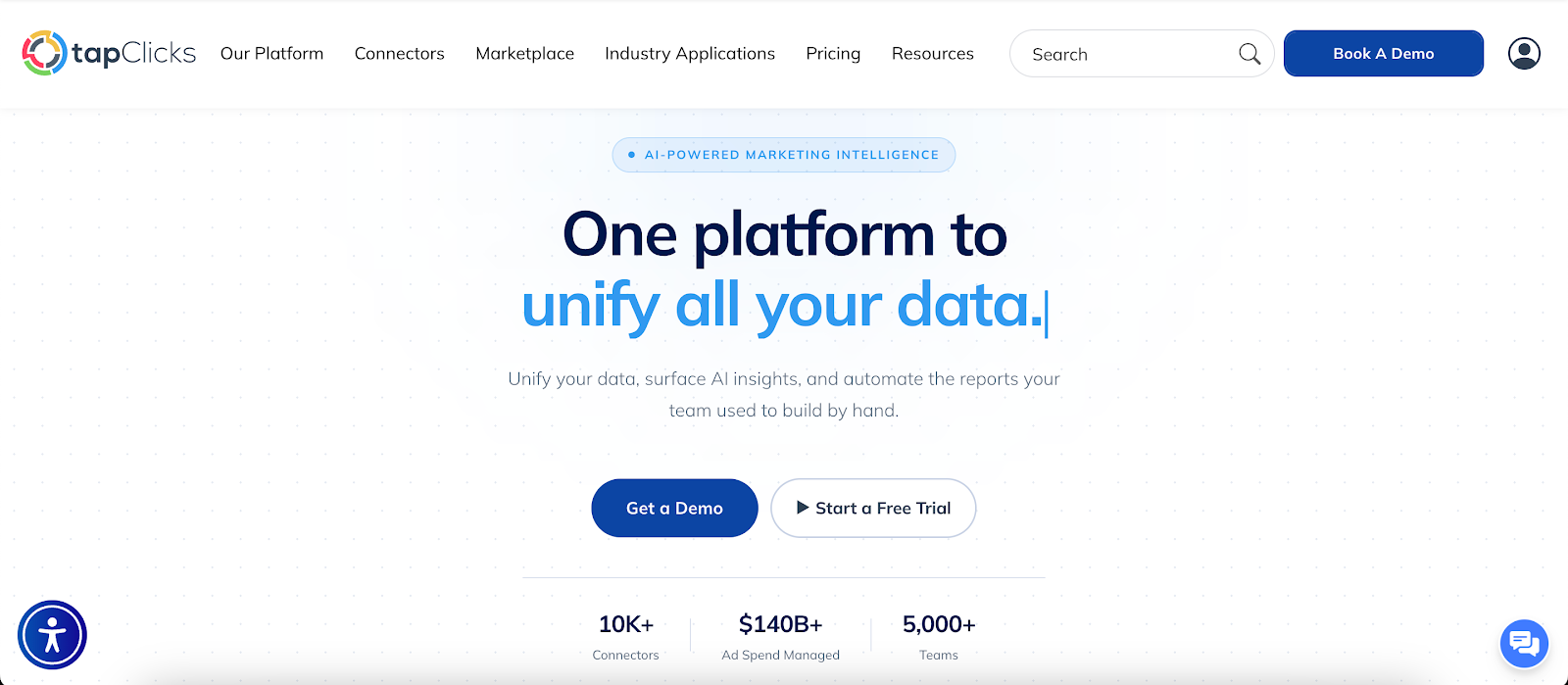
Reporting takes hours that could go into campaign work. Marketing teams often pull numbers from Google Analytics, ad platforms, and CRM tools, then rebuild the same reports every cycle. That work repeats for every client and every report.
TapClicks replaces that routine by pulling data automatically from over 250 sources. It standardizes campaign names and metrics, so reports don’t need manual fixes.
You don’t have to export files from a data warehouse or combine spreadsheets to get accurate totals.
Reports are generated and delivered without rebuilding them each time. SmartReports sends updates on schedule. SmartSlides turns results into client-ready decks, and SmartEmail places summaries directly in inboxes.
Stakeholders can read marketing performance without opening tools like Google Data Studio.
AI Insights Agents review campaign activity and flag changes such as rising costs or drops in conversions. These alerts appear while campaigns are still running, so teams can respond in time.
FAQs About Digital Marketing Reporting
How do you make a digital marketing report?
First, identify what the report needs to answer, then gather data from analytics tools, ad platforms, and customer relationship management (CRM) systems. Organize the data into key metrics, trends, and explanations of results.
Many teams use marketing automation systems to generate reports without rebuilding them each cycle.
What should a digital marketing report include?
A digital marketing report should include key metrics such as conversions, revenue, and customer acquisition cost (CAC). It should also explain why performance changed and what needs attention.
Clear explanations help stakeholders understand results and how marketing messages are performing.
What is the best tool for digital marketing reporting?
The best tool connects your data sources and generates reports automatically. It should present results in a format that stakeholders can review without extra steps. Tools like TapClicks combine reporting, automation, and insights in one platform.









