Stop hunting for answers.
Start getting them.
Every report hides a story: a channel losing steam, a budget drifting off pace, a client one bad month from churning. AI Insights Agents scan every connected account around the clock and hand you the narrative, not just the numbers.
Manual reporting means you find problems after they've already cost you.
Before AI Insights Agents, catching a budget overrun or a churn risk meant someone opening every client dashboard, scanning every metric by eye, and hoping they didn't miss the one number that mattered. By the time a human noticed, the campaign had already burned budget, or the client had already started shopping around.
Now your agents are watching continuously. You get the insight the moment it matters, already written up and ready to act on.
What your Insights Agents are watching for
Each agent is purpose-built for a specific job, from flagging pacing issues to spotting churn risk to drafting the exec summary. Together they cover the reporting work that used to fall on analysts, account managers, and sales teams alike.
Anomaly & pacing detection
Unusual spikes or drops in spend, CTR, and CPC get flagged immediately, with root-cause context instead of a bare alert.
Budget & ROI analysis
Agents compare actual spend to plan, catch overspending or underspending early, and recommend reallocations that improve efficiency.
Churn & renewal risk
Engagement drops and stalled goal progress get surfaced as risk signals, so your team can step in before a client starts looking elsewhere.
Narrative & proposal drafting
Wins, risks, and next steps get written into client-ready briefs, renewal narratives, and proposal drafts automatically.
Why this changes how your team reports
Manual reporting has always been a hidden tax on your best people. Time that could go toward strategy instead goes toward spotting problems that were already sitting in the data.
18 agents. One for every job on your team.
Filter by role or search for exactly what you need. Every agent plugs directly into your existing dashboards and reports, no setup required.
Anomaly Detection Agent
Flags unusual spikes or drops in spend, CTR, and CPC, with alerts that include root-cause context so you can act fast instead of guessing.
See Agent in Action →Budget Insights Agent
Evaluates actual spend against planned budgets, highlighting overspending, underspending, and pacing issues before they affect performance.
See Agent in Action →Budget Shift Agent
Highlights under- and over-performing campaigns and guides budget reallocations to maximize efficiency and improve overall media performance.
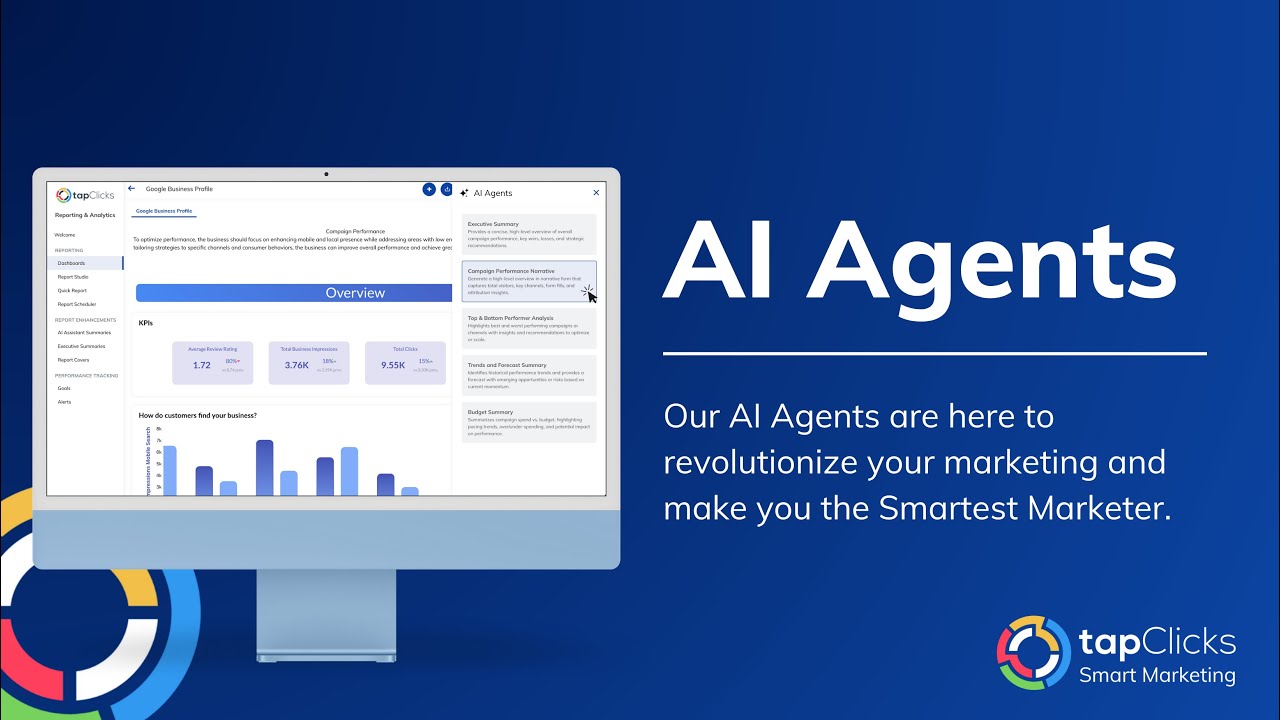
See Agent in Action →Campaign Performance Agent
Crafts detailed narratives about campaign performance and highlights the metrics that matter, making results easier to understand and act on.
See Agent in Action →Churn Risk Detector Agent
Monitors campaign performance, engagement, and goal progress to flag at-risk accounts, giving your team time to act before it's too late.
See Agent in Action →Client Brief Meeting Agent
Builds client-ready briefs that summarize wins, risks, and next steps, so every strategy session starts focused instead of scrambling for context.
See Agent in Action →Competitor Audit Agent
Generates fast, data-driven audits that benchmark a client's performance against competitors, helping reps strengthen positioning and close more.
See Agent in Action →Creative Performance Agent
Identifies top-performing ads and underperformers, with actionable recommendations to refine visuals, copy, and targeting for better ROI.
See Agent in Action →Efficiency Gains Agent
Quantifies improvements like higher ROI, lower CPA, and reduced CPM, then translates them into narratives clients actually understand.
See Agent in Action →Executive Insights Agent
Synthesizes complex data into concise, actionable insights so stakeholders can grasp performance highlights and make decisions instantly.
See Agent in Action →Expansion Opportunities Agent
Identifies potential upsell or cross-sell opportunities by analyzing past campaigns against existing business needs.
See Agent in Action →Pacing Agent
Continuously monitors pacing, alerts you the moment spend or impressions deviate from plan, and suggests fixes to keep campaigns on schedule.
See Agent in Action →Platform Shift Detector Agent
Analyzes performance efficiency across platforms and recommends reallocations, giving you MMM-style guidance on where to invest more or cut back.
See Agent in Action →Proposal Builder Agent
Produces data-backed proposal drafts, visuals, metrics, and narratives included, in minutes instead of hours, accelerating deal closure.
See Agent in Action →Renewal Prep Agent
Generates narratives that showcase ROI and efficiency gains with tailored recommendations, helping you secure renewals and build client trust.
See Agent in Action →Top & Bottom Performer Insights Agent
Surfaces key changes, growth opportunities, and emerging patterns so your team can proactively adapt strategy instead of reacting late.
See Agent in Action →Top Gain Insights Agent
Highlights your biggest performance gains in impressions, CTR, and conversions, packaged into client-ready insights that prove campaign value.
See Agent in Action →Trends & Forecast Insights Agent
Spotlights your three highest and lowest performers with context on what drove each outcome, helping teams optimize strategy and boost ROI.
See Agent in Action →Have a reporting need the library doesn't cover? Build your own.
Every account has its own quirks: a niche KPI a client cares about, a recurring briefing format, a metric combination nobody else tracks. Build-Your-Own Agent lets you describe exactly what you want scanned and summarized, no developer required.
Create New Agent
Built for every role that touches reporting
From the analyst scanning ten dashboards a day to the executive who just needs the headline, there's an agent already doing that job.
Marketing Analysts
Stop scanning every dashboard by hand. Let the agents surface what changed, then spend your time on the analysis that follows.
Hours saved weeklyAccount Managers
Walk into every client call with a brief that already shows the wins, the risks, and the plan, no scrambling beforehand.
Client-ready briefsSales & Growth Teams
Catch churn risk early, spot expansion opportunities automatically, and build proposals backed by real performance data.
Faster deal cyclesExecutives & Strategists
Get the headline without digging through the dashboard. Every insight arrives already written, prioritized, and ready to act on.
Instant clarityAI Insights Agents: frequently asked questions
Straight answers about how AI Insights Agents work, what they replace, and what still needs a human touch.
What are TapClicks AI Insights Agents?+
Do AI Insights Agents replace analysts or account managers?+
Which agents are available in the library?+
Can I create a custom AI Insights Agent?+
Do AI Insights Agents use my actual campaign data?+
How often do the agents check my data?+
Do I need technical or coding knowledge to use AI Insights Agents?+
Ready to stop hunting for insights?
AI Insights Agents are available now inside TapClicks. See the full library in action, or build the agent your team actually needs.