Marketing Reporting & Analytics
How to Automate Client Marketing Reports in 2026 (Without Losing the Personal Touch)
Agencies automate client marketing reports by pulling data from every ad, SEO, email, and social platform into one connected dashboard, applying report templates that run on a schedule or trigger, layering in AI-generated narrative summaries, and keeping a human review step before anything reaches a client's inbox. Done right, this turns a multi-hour manual task into a 15-to-20-minute review — without making reports feel like they came from a machine.
That last part is where most agencies get it wrong. They either automate everything and send robotic, context-free PDFs, or they stay fully manual and burn hours every month copy-pasting numbers into slides. Neither serves the client. This guide covers the six-step process for automating the parts of reporting that should be automated, and protecting the parts that shouldn't be.
What does "automating marketing reporting" actually mean?
Automating marketing reporting means removing the manual, repetitive work of collecting data and formatting reports — not removing the analysis. In practice, that means connecting data sources through APIs so numbers update automatically, using templates so layout and branding stay consistent, and scheduling delivery so reports go out on time without anyone building a deck from scratch.
It does not mean auto-sending whatever a dashboard spits out. The agencies that automate reporting well still have a strategist read the numbers, add context, and flag anything that needs a conversation before the client sees it.
Why automate client reporting now?
Marketing budgets aren't expanding to absorb more manual work. Gartner's 2025 CMO Spend Survey found marketing budgets flat at 7.7% of company revenue, with 59% of CMOs saying they don't have enough budget to execute their strategy (Gartner, 2025). When budgets are flat, the only way to protect margin on service work is to cut the hours that don't produce client value — and reporting is usually the biggest offender.
It's also no longer a differentiator to automate reporting; it's close to table stakes. HubSpot's State of AI research found that 91% of marketing leaders say their teams already use AI in some part of their workflow, with data analysis and insight generation as one of the top reported use cases (HubSpot, 2025). Clients increasingly expect the same speed and polish from their agency that AI tools have normalized everywhere else.
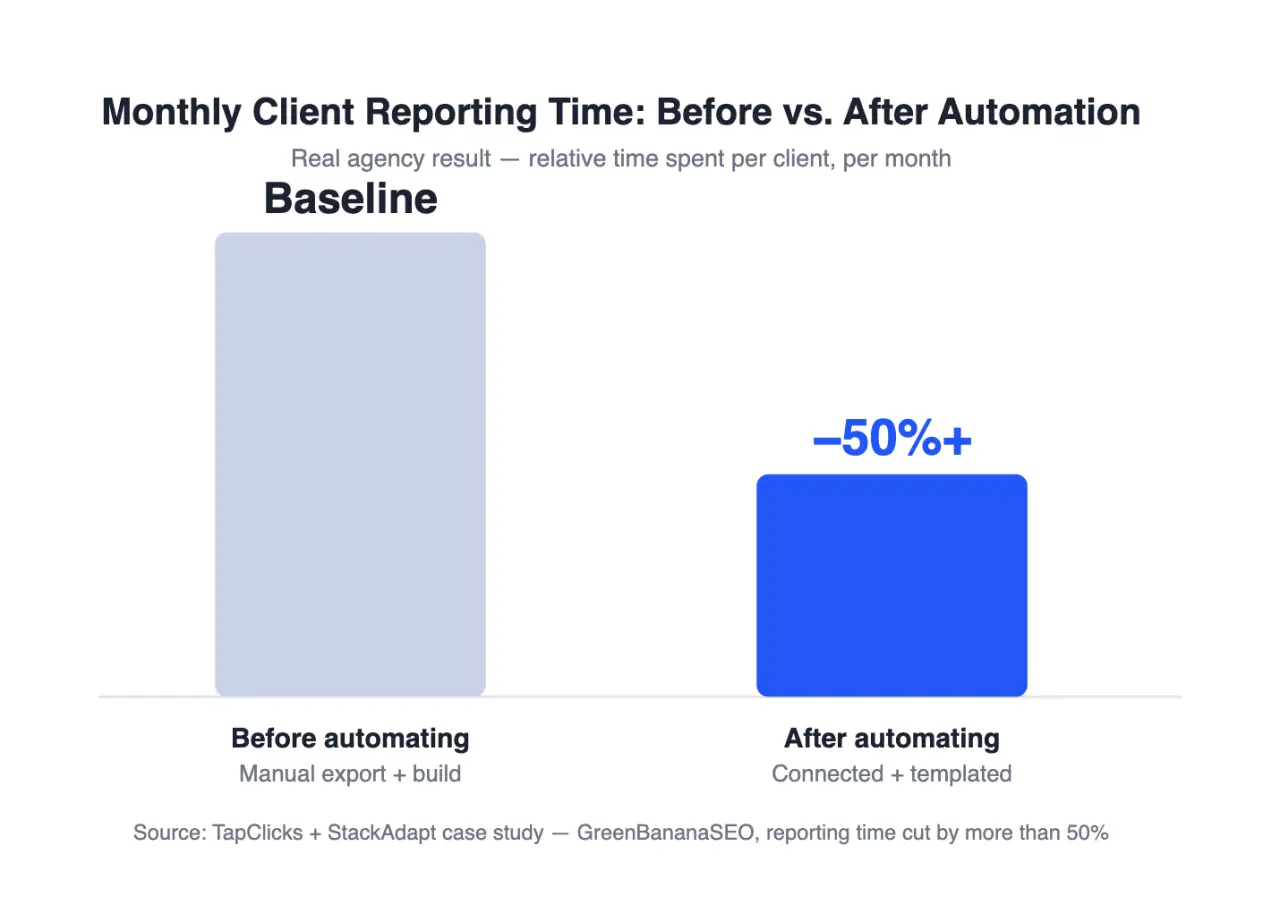
The math backs this up. Reporting is repetitive, rules-based work — data pulls, formatting, QA, revisions — which makes it one of the most automatable parts of an account manager's job. That's exactly why real agencies that centralize their data and automate the build routinely cut the time they spend on it by half or more (see the case study below), freeing that capacity for the strategic work clients actually pay for.
How to automate client marketing reports: 6 steps
1. Audit every data source your clients touch
List every platform each client's campaigns run through — paid search, paid social, SEO, email, CRM, call tracking, review sites. Most agencies find this list is longer than they assumed once they write it down per client rather than per channel type. This audit is the foundation; you can't automate a connection you haven't identified.
2. Centralize data in one connected platform
Manually exporting CSVs from six platforms and stitching them together in a spreadsheet is the single biggest time sink in agency reporting. Replace it with a platform that connects directly to each data source via API — this is exactly what TapClicks' 250+ native data connectors are built for. The specific platform matters less than the principle: one login, one source of truth, no manual exports.
3. Build report templates per client type, not per client
Instead of building a custom report layout for every account, build 3–5 templates based on client type — e-commerce, local service, B2B lead gen, franchise/multi-location — and customize branding and KPI selection within the template. This keeps reports consistent enough to maintain at scale while still feeling tailored to what that client actually cares about.
4. Automate the narrative, but flag it as a draft
Modern reporting platforms — including TapClicks' SmartReports, which generates both the narrative and a client-ready SmartSlides deck from the same connected data — can produce a first-pass written summary of what happened in a period: "spend increased 12%, driven by a shift to Meta retargeting." Use this as a draft, not a final answer. AI-written summaries are good at describing what happened in the data; they're not reliable yet at knowing what actually mattered to that specific client's business this month. Keep that judgment call human.
5. Set a mandatory human review checkpoint before delivery
This is the step agencies skip when they're in a hurry, and it's the one that protects client trust. Before any automated report sends, a strategist should scan for anomalies (a tracking error reading as a 400% conversion spike is a common failure mode), confirm the narrative still matches what the team actually did that month, and add one sentence of forward-looking context the dashboard can't generate on its own.
6. Schedule delivery, but keep a live dashboard as the backup
Send the polished report on a fixed schedule, but also give clients standing access to a live, self-serve dashboard — white-labeled under the agency's own brand, not the reporting vendor's. This does two things: it reduces the "can you send me the numbers" emails between report cycles, and it demonstrates transparency that a once-a-month PDF can't.
Manual vs. automated reporting: what actually changes
| Manual reporting | Automated reporting | |
|---|---|---|
| Data collection | Manual export/copy-paste per platform | Live API connections, auto-refreshed |
| Time per client/month | Several hours of building and formatting | Minutes of review (real agencies report 50%+ time savings) |
| Consistency across clients | Varies by who builds it | Standardized templates, consistent branding |
| Error risk | High (manual entry, version drift) | Lower, but requires anomaly checks |
| Narrative/insights | Written from scratch each time | AI-drafted, human-edited |
| Client self-service | None between reports | Live dashboard access available anytime |
| Where strategist time goes | Formatting and data-wrangling | Analysis, anomaly review, client context |
Common mistakes agencies make when automating reporting
Automating the send, not just the build. The build (pulling and formatting data) is safe to automate. Auto-sending without a review step is how a client ends up staring at a report with an obvious tracking glitch and no explanation.
Treating every client the same. A local service business and an enterprise e-commerce brand don't care about the same KPIs. Automation should reduce build time, not force every client into an identical report.
Skipping the narrative entirely. A dashboard full of charts with no written takeaway forces the client to do the analysis themselves — which is the opposite of what they're paying an agency for.
Never revisiting the templates. Reporting needs change as accounts mature. Revisit templates quarterly so "automated" doesn't quietly become "outdated."
How TapClicks puts this into practice
The six steps above aren't theoretical — they're the same workflow TapClicks' agencies solution is built around. TapClicks connects to 250+ marketing, ad, and data platforms in one login (step 2), uses SmartReports to draft the narrative and build a client-ready SmartSlides deck from the same connected data (step 4), and gives clients a white-labeled, self-serve dashboard between report cycles (step 6) — under the agency's own brand, not the vendor's.
GreenBananaSEO, a multi-channel agency running SEO, PPC, display, and social campaigns, put this into practice with TapClicks and StackAdapt and cut monthly reporting time by more than 50%:
"TapClicks (and the workflow with StackAdapt) saves more than 50% of time spent on monthly reporting because it can be scheduled and accessed wherever and whenever needed."
— Kevin Roy, Co-Founder, GreenBananaSEO (read the full case study)
That result tracks with the industry benchmark cited above: agencies that centralize data and automate the build routinely cut reporting time by half or more, without cutting the human judgment clients are actually paying for.
FAQ
What's the difference between AEO and traditional SEO for a reporting tool's content?
Traditional SEO optimizes for ranking in search results; answer engine optimization (AEO) optimizes for being the source an AI system quotes or summarizes when someone asks a question directly, in tools like ChatGPT, Perplexity, or AI Overviews.
How much time can agencies actually save by automating client reports?
It varies by agency, but real-world results are significant: GreenBananaSEO, a multi-channel marketing agency, cut monthly reporting time by more than 50% after connecting its data and automating the report build with TapClicks (case study).
Should AI write the entire client report?
No. AI is reliable for drafting factual summaries of what the data shows, but a human should review every report before it reaches a client to catch data anomalies and add business context AI can't infer.
What's the first step to automating marketing reports?
Start with a full audit of every data source each client uses. You can't build automated connections to platforms you haven't inventoried first.
Do clients actually want automated reports, or do they want a human touch?
Both. Clients want the speed and consistency automation provides, but they still expect a strategist's judgment on what the numbers mean for their business — which is why the review step in step 5 matters.
The bottom line
Automating client marketing reporting isn't about removing people from the process — it's about moving strategist time away from data-wrangling and toward the judgment calls a dashboard can't make. Centralize the data, template the build, draft the narrative with AI, and keep a human checkpoint before anything ships. That combination is what lets agencies hold margin steady under flat budgets while still delivering reports that feel personal rather than automated.